
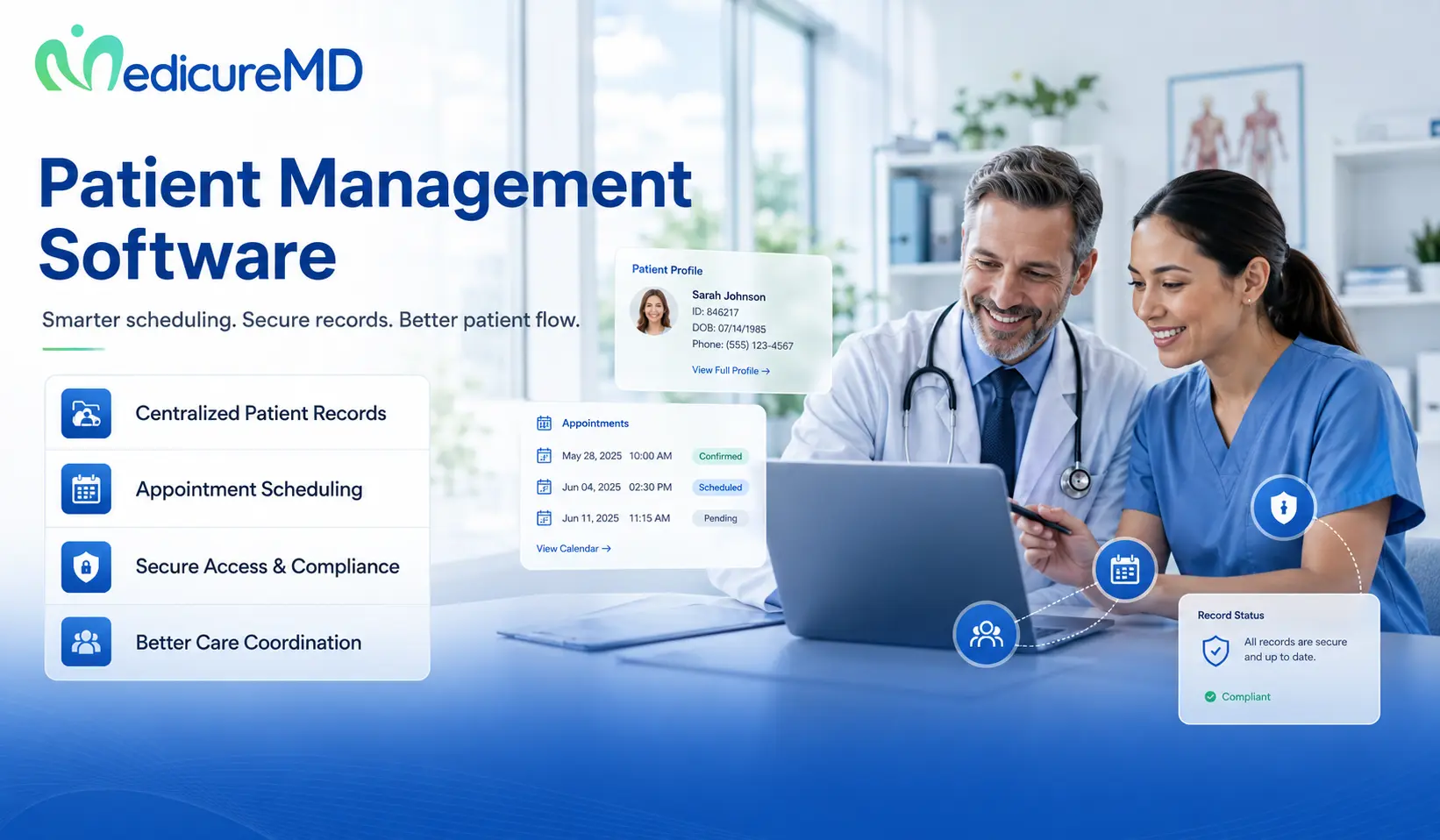
Patient management software is a healthcare system that organizes patient scheduling, registration, communication, clinical tasks, insurance data, billing handoffs, and follow-up in one connected workflow.
Patient Management Software for U.S. Practices: Choose a System That Supports Care and Revenue
Patient management problems rarely come from a lack of effort. They usually come from disconnected systems, repeated data entry, missed follow-ups, unclear staff roles, and poor communication between the front desk, clinical team, and billing department.
A patient may enter the same information on a paper form that staff already collected by phone. A doctor may complete the visit, but the billing team may wait for an unsigned note or missing charge. A payer may deny a claim because the practice did not verify coverage or authorization before the appointment.
Patient management software connects these events. The right system helps a practice manage the patient journey from the first appointment request through clinical care, payment, and follow-up.
For buyers, the goal should not be to purchase the longest feature list. The goal should be to reduce work, improve patient access, support accurate billing, and give staff a clear view of what needs attention.
What is patient management software?
Patient management software is a digital platform that helps healthcare providers organize patient-facing, clinical, administrative, and financial tasks. It may include scheduling, registration, insurance verification, patient messaging, document management, task tracking, payment collection, and reporting.
Patient management software has a wider role than a basic appointment calendar. It manages how information moves between the patient, provider, staff, payer, and billing team.
An electronic medical record, or EMR, mainly stores clinical information such as diagnoses, medications, notes, orders, and results. Practice management software handles administrative and financial tasks. A patient portal gives patients access to messages, appointments, records, and balances.
A patient management system may connect all three areas. If clinical and administrative data move correctly, then the practice can reduce duplicate work because staff no longer need to enter the same information into several systems.
Why are healthcare practices investing in patient management software?
Healthcare practices invest in patient management software because patients now expect faster access, digital communication, online records, and simpler payment options. At the same time, providers need stronger control over scheduling, documentation, billing, and staff workload.
In 2024, 77% of U.S. individuals reported that a provider or insurer offered them online access to health information. Nearly 65% accessed their information online at least once during the year. This data shows that digital patient access now represents a standard part of care rather than an optional service. Review the 2024 patient portal data from ASTP/ONC.
Patient access also affects practice capacity. An MGMA poll on priorities for 2026 found that 27% of practice leaders named no-shows as their main patient-access focus. Online scheduling accounted for 24%, phone access for 22%, and wait times for 21%. MGMA’s patient access findings show why practices need tools that address more than medical records.
A strong patient management workflow can give patients more ways to book, confirm, cancel, reschedule, complete forms, review balances, and contact the practice. This reduces avoidable phone calls and gives staff more time for requests that need personal attention.
Which patient management software features create the most value?
The most valuable features solve high-frequency problems that affect patient care, staff time, and revenue. A feature that staff use 50 times each day usually matters more than an advanced report they open once each quarter.
A medical practice should prioritize these four areas:
- Online scheduling, appointment reminders, registration, and digital intake
- Secure messaging, portal access, result communication, and follow-up tasks
- Insurance eligibility, authorization tracking, charge capture, and billing handoff
- Operational reports for no-shows, open tasks, unsigned visits, claims, and balances
These functions should operate as one connected workflow. If the system schedules an appointment but cannot send the insurance and registration data into billing, staff must complete more manual work.
The same rule applies to clinical follow-up. If a result enters the system but no task goes to the correct staff member, the software stores information without helping the practice act on it.
Scheduling and digital intake should reduce front-desk work
Scheduling tools should help patients find suitable appointments while giving the practice control over provider availability, visit types, locations, and appointment length.
The system should support online requests, confirmations, reminders, cancellations, and rescheduling. It should also allow the practice to create different rules for new patients, established patients, procedures, telehealth visits, and urgent appointments.
Digital intake should collect demographics, insurance information, medical history, consent forms, and contact preferences before the visit. If patients complete this information early, staff can identify missing data before the patient reaches the front desk.
MGMA reported that practices that stabilized or reduced no-shows often used consistent communication, digital reminders, online check-in, patient portals, and simple cancellation options. These tools work because they remind patients while giving them an easy way to release an appointment they cannot attend.
Patient communication should create clear next steps
Patient communication tools should help the practice send useful information without creating an unmanageable inbox for doctors.
A good workflow routes messages by purpose. Scheduling questions should go to the front desk. Medication requests may go to a clinical team member. Billing questions should move to patient accounts staff. Test-result questions may require provider review.
If every message goes directly to the doctor, then the software moves work rather than reducing it. The practice should define message categories, response times, escalation rules, and staff ownership before launch.
Patient communication should also support appointment instructions, preparation details, referral updates, care reminders, balance notices, and payment options. Each message should tell the patient what happened and what action to take next.
Task management should prevent missed follow-up
Task management assigns a clear owner, deadline, and status to each action. This matters for laboratory results, referrals, authorizations, medical records, prescription requests, recalls, and billing questions.
A general inbox does not provide enough control. Staff need to know which tasks remain open, how long they have been waiting, and who must act.
If a referral requires additional records, then the system should route the request to the correct employee because an incomplete referral can delay care. If an authorization approaches its expiration date, the software should alert staff before the next visit.
Managers should also review overdue tasks by type and employee. Repeated delays often point to unclear roles, weak training, or a process that requires too many steps.
How does patient management software support practice revenue?
Patient management software supports revenue by improving the information collected before, during, and after the patient visit. Accurate data creates cleaner billing because every claim depends on patient, insurance, clinical, and charge information.
The revenue cycle starts before a provider delivers care. Staff must collect the correct patient name, date of birth, subscriber details, plan information, referral status, and authorization requirements.
If the practice misses these items, the billing team may receive a claim that the payer cannot process. The team must then correct the account, contact the patient, or submit additional information.
Patient management software can support revenue through four connected stages:
1. The scheduling and registration workflow collects patient and insurance data.
2. The clinical workflow records the service and supporting documentation.
3. The billing workflow creates and submits the claim.
4. The follow-up workflow tracks payer and patient payment.
Revenue cycle management, or RCM, manages this entire financial path. MedicureMD’s guide on what revenue cycle management software does explains how registration, claims, denials, payment posting, and reporting fit together.
CMS states that electronic Medicare claims pass through front-end and HIPAA-format edits before they move into further claims processing. Invalid or incomplete information can cause a claim to fail before the payer reviews medical coverage. CMS explains the electronic claims process here.
That relationship makes front-end patient management a financial function. If the practice collects accurate information early, then the billing team spends less time correcting preventable claim problems.
What should doctors test before buying patient management software?
Doctors should test complete patient and billing workflows before buying software. A prepared presentation may show attractive screens without revealing how many clicks, handoffs, or workarounds the staff will face.
Ask the software or implementation team to demonstrate these tasks:
- Schedule a new patient, collect forms, and verify insurance information
- Document a visit, send an order, and assign a follow-up task
- Move the completed encounter into coding and billing
- Find an unpaid claim, patient balance, or incomplete authorization
Every demonstration should follow the same patient scenario. This approach helps the practice compare workflow steps rather than comparing sales claims.
Count how many screens each task requires. Identify where staff must type the same information again. Ask what happens when information is missing, a patient cancels, a provider leaves a note open, or a payer rejects a claim.
The practice should include doctors, medical assistants, front-desk staff, billers, and a manager in testing. Each role sees different weaknesses.
Does the system match your specialty workflow?
The system should match the practice’s real visit types, documentation needs, follow-up schedule, and billing requirements.
A primary care practice may need preventive-care reminders, chronic disease tracking, immunization data, and referral management. A surgical practice may need procedure scheduling, clearance documents, global-period tracking, and postoperative follow-up.
The practice should test its most common visit and its most difficult visit. If software can only handle the simple case, staff will build manual workarounds for the patients who need more coordination.
Can managers see what requires attention?
Patient management software should show managers where work has stopped. Useful reports may include unconfirmed appointments, no-show rates, incomplete registration, expired authorizations, open charts, unbilled visits, claim rejections, and unpaid patient balances.
A report only adds value when the practice assigns someone to review it and act. Ask who receives each report, how often the team reviews it, and what action follows an exception.
The software should also let managers filter results by provider, location, payer, visit type, employee, and date. A total practice number can hide a serious problem within one workflow.
How should a practice compare patient management software costs?
A practice should compare total ownership cost over three years, not only the advertised monthly fee. Setup, training, interfaces, data migration, support, user licenses, messaging, claim functions, and record export can change the real price.
Ask each software or service provider these questions:
- Which setup, migration, training, support, and interface services cost extra?
- Does pricing change by provider, employee, claim, location, or patient volume?
- How much will data export, contract termination, and system transition cost?
- Which billing and patient-payment functions require another product or vendor?
The answers should appear in the contract or pricing proposal. Verbal promises create risk when the implementation team or account representative changes.
The cheapest system may create a higher operating cost if staff spend more time correcting data, answering calls, moving information, or following unpaid claims.
A stronger buying decision compares the software fee with expected gains in staff time, appointment capacity, collection speed, and reduced rework.
How should patient management software handle prior authorization?
Patient management software should track whether a service requires prior authorization, which documents the payer needs, when staff submitted the request, and when the authorization expires.
CMS requires many impacted payers to send certain prior-authorization decisions within 72 hours for expedited requests and seven calendar days for standard requests. CMS also set major API requirements for January 1, 2027, including Provider Access and Prior Authorization APIs for affected payers. Review the CMS interoperability and prior authorization rule.
The practice should ask whether the system can record payer requirements, authorization numbers, approved services, date ranges, visit limits, status changes, and denial reasons.
It should also alert staff before an approved period ends. If a patient receives care outside the approved dates or visit count, the payer may deny the claim even when the service was medically appropriate.
What security controls should patient management software include?
Patient management software should include access controls, audit logs, secure data transmission, backups, authentication, and clear incident procedures.
The HIPAA Security Rule requires covered healthcare providers and business associates to protect the confidentiality, integrity, and availability of electronic protected health information. HHS also requires regulated organizations to assess risks and vulnerabilities affecting that information. Review the HIPAA Security Rule requirements.
The practice should control access by job role. Front-desk staff may need scheduling and registration data but may not need the same permissions as doctors, billers, or system administrators.
Ask how the system handles employee departures, password policies, multi-factor authentication, failed login attempts, device access, security events, and downtime.
The contract should also identify every business associate or subcontractor that may receive patient data. Cloud hosting does not transfer the practice’s full privacy and security responsibility to the vendor.
Should you replace your current system or improve its setup?
A practice should replace its current system when the technology cannot support required workflows, data access, security, reporting, integration, or patient needs. It should improve the current setup when training, configuration, or unclear staff roles cause most problems.
Start by identifying five measurable problems. Examples include high no-show rates, long phone waits, repeated data entry, incomplete authorizations, open charts, delayed claims, and unpaid patient balances.
Then find the cause of each problem. Software may cause the issue, but the workflow may also lack an owner, deadline, or standard process.
For example, appointment reminders cannot reduce no-shows when staff collect incorrect phone numbers. A billing report cannot improve collections when no employee reviews it. A portal cannot reduce calls when patients receive no instructions for using it.
Optimization may create a faster financial return than replacement when the current system already includes the required functions.
How does MedicureMD connect patient management with revenue cycle performance?
MedicureMD connects patient management with revenue cycle performance by supporting the financial workflows that begin with registration and continue through coding, claims, denials, payment posting, and account follow-up.
A patient management platform can organize information, but a medical practice still needs trained people to review exceptions and act. Staff must follow rejected claims, correct payer issues, manage denials, post payments, and contact patients about balances.
MedicureMD works within medical practice workflows and EMR/EHR environments instead of promoting a competing software brand. Its RCM team supports eligibility, billing, coding, claims, denial management, accounts receivable, payment posting, and patient statements.
According to its service page, MedicureMD reports an average collection rate near 96%, up to a 98% first-pass clean-claim rate, denial resubmission within 48 hours, support across more than 40 specialties, and service for more than 500 physicians. Individual performance depends on specialty, payer mix, existing A/R, documentation, and practice workflow.
Practices that need help connecting patient data with billing and collections can review MedicureMD’s revenue cycle management services.
Frequently asked questions about patient management software
What does patient management software do?
Patient management software organizes scheduling, registration, patient communication, clinical tasks, insurance data, billing handoffs, and follow-up. It gives staff one place to track the patient journey. The exact functions depend on the system, so practices should test their most common workflows before signing a contract.
Is patient management software the same as an EMR?
Patient management software and an EMR overlap, but they do not always serve the same purpose. An EMR focuses mainly on clinical records, diagnoses, medications, orders, and notes. Patient management software may cover a wider set of scheduling, communication, administrative, financial, and care-coordination tasks.
Can patient management software reduce no-shows?
Patient management software can reduce avoidable no-shows through automated reminders, confirmations, online cancellation, rescheduling, and waitlist tools. The practice must still collect accurate contact information and set clear reminder timing. Transportation, financial hardship, work schedules, and personal emergencies may still cause missed appointments.
Does patient management software improve medical billing?
Patient management software can improve billing when it passes accurate registration, insurance, authorization, documentation, and charge information into the revenue cycle. It does not replace trained billing staff. Practices still need claim review, payer follow-up, denial work, payment posting, and patient balance management.
How long does implementation take?
Implementation may take several weeks or longer based on practice size, data migration, interfaces, staff training, workflow design, and billing setup. A practice should allow time for configuration, testing, mock patient visits, user training, and post-launch correction instead of treating the system as a simple software installation.
What should a small practice look for?
A small practice should look for simple scheduling, digital intake, patient messaging, task management, insurance verification, billing connections, useful reports, clear pricing, and dependable support. The system should fit the practice’s specialty and staffing model without requiring more administrative work than the practice can manage.
When should a practice outsource revenue cycle work?
A practice should consider outsourced RCM support when internal staff cannot keep up with claims, denials, A/R, payment posting, or payer follow-up. Outsourcing may also help when leaders cannot trust current reports or when the practice needs billing knowledge across several specialties or payers.
Choose a patient management workflow that produces measurable results
Patient management software should make the patient journey easier to manage, but software alone cannot fix unclear roles or weak billing follow-up.
Start by measuring no-shows, registration errors, authorization delays, open tasks, unsigned visits, claim rejections, days in A/R, and patient balances. These numbers create a baseline for comparing results after implementation.
Next, test complete workflows instead of isolated features. Confirm how patient information moves from scheduling into the medical record, billing system, payer response, and payment process.
Finally, decide which work your internal staff can manage and which tasks need outside support. MedicureMD’s RCM team can help connect patient management, EMR/EHR use, billing, denials, and collections without asking the practice to promote or move to another software brand.
Review MedicureMD’s revenue cycle management services to discuss your current workflow, billing challenges, and financial goals.